 Bastien
How to import recipes from any website into a recipe app
A practical breakdown of every method for getting recipes off the web and into your kitchen: URL import, browser extensions, AI extraction, and manual entry. What works, what doesn't, and why it matters.
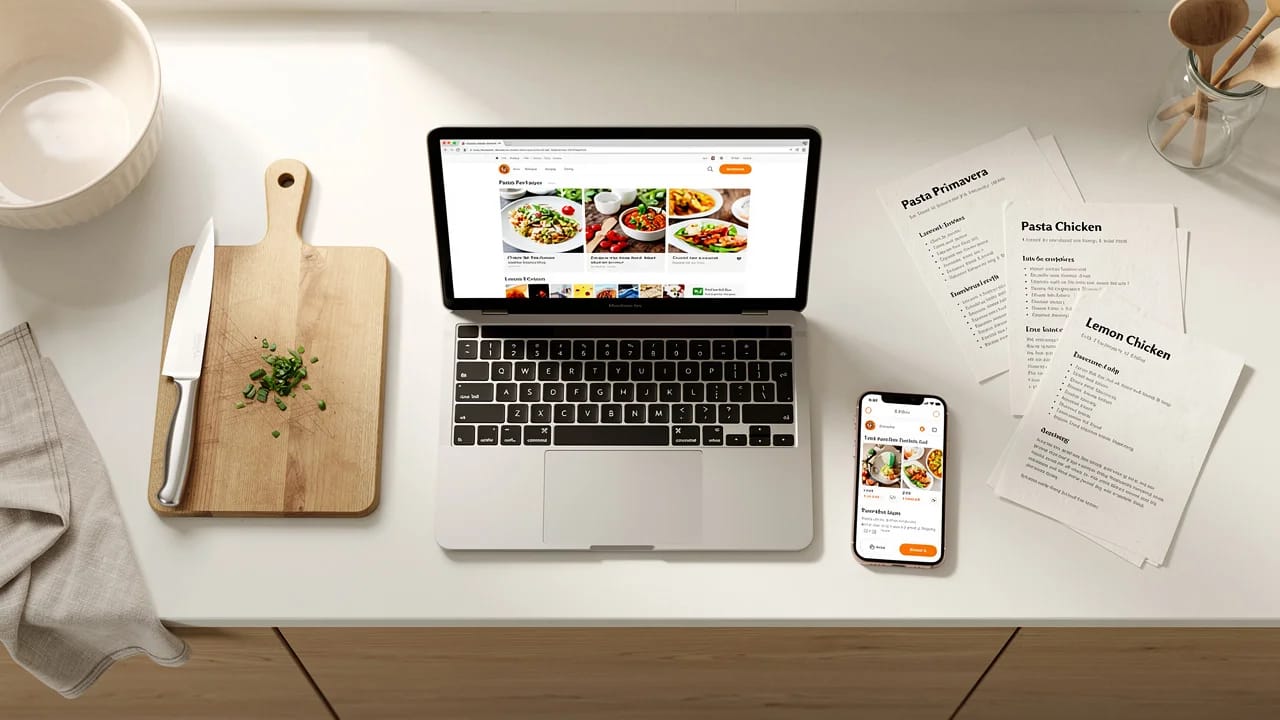
Every home cook has the same problem: you find recipes everywhere, but they live nowhere useful. A recipe on a blog is trapped behind ads and pop-ups. A recipe in a group chat disappears into scroll history. A recipe on Instagram vanishes when the creator deletes the post.
Getting recipes out of websites and into a place you control — searchable, scalable, always accessible — is the first step toward building a recipe library that actually works. This guide covers every practical method for importing web recipes, from quick copy-paste to AI-powered extraction.
Why importing matters more than bookmarking
Bookmarks are where recipes go to die. You save the link, feel productive, and never open it again. Even if you do revisit the bookmark months later, the page might have changed, added more ads, moved behind a paywall, or gone offline entirely.
Importing a recipe means extracting the actual content — ingredients, steps, cook times — and storing it in a format you own. The recipe becomes part of your recipe manager library, not a pointer to someone else's server.
The practical difference shows up when you try to cook. An imported recipe can be scaled to different servings, searched by ingredient, added to a meal plan, and used in a shopping list. A bookmark can only take you back to the original page and hope it still loads.
Method 1: URL paste (the simplest approach)
Most modern recipe apps support URL-based recipe import. The workflow is straightforward:
- Find a recipe on any website
- Copy the URL from the address bar
- Paste it into the recipe app
- The app fetches the page and extracts the recipe
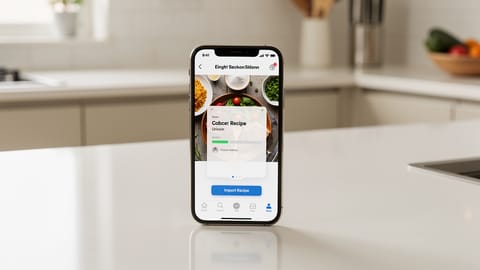
This is the method Fond uses as its primary import flow. Paste a URL, and the AI reads the page, identifies the recipe content, and structures it into ingredients, steps, times, and metadata. The whole process takes about 10 seconds.
Strengths:
- No software to install beyond the recipe app itself
- Works on any device, including phones and tablets
- Handles almost any recipe website, even those with heavy ads or unusual layouts
- AI-powered versions understand context, so they can parse recipes that don't follow standard formatting
Limitations:
- Requires the recipe page to be publicly accessible (paywalled content won't load)
- Very old or poorly structured pages may occasionally need manual corrections
- You need to be online to fetch the URL
For paywalled recipes or private pages, you can usually work around this by copying the recipe text and pasting it directly instead of using the URL.
Method 2: Browser extensions (the traditional recipe clipper)
Browser extensions like Recipe Keeper's clipper, Paprika's bookmarklet, and others add a button to your browser toolbar. When you're on a recipe page, click the button, and the extension tries to extract the recipe.
Strengths:
- One-click import from the page you're already viewing
- Some extensions highlight what they're extracting so you can verify
- Established approach with years of development behind it
Limitations:
- Desktop only — extensions don't work on mobile browsers (a significant gap, since many people find recipes on their phones)
- Extension compatibility varies across browsers. Chrome extensions don't work in Safari, Firefox extensions have their own ecosystem
- Extensions need updates when browsers change. A Chrome update can break an extension overnight
- Most rely on parsing the page's HTML structure, which means they break when a site redesigns
- Each recipe app has its own extension. Switch apps and you need a different extension
- Privacy considerations: extensions can read every page you visit
The browser extension approach was the gold standard five years ago. URL-based AI import has largely replaced it for reliability and cross-device support.
Method 3: AI-powered extraction (the modern standard)
AI import goes beyond pattern matching. Instead of looking for specific HTML tags or schema markup, an AI model reads the page content the way a human would and identifies what's a recipe versus what's an ad, a personal story, or navigation.
This matters because recipe websites are messy. A single page might have three different recipe cards (the main recipe, "you might also like" suggestions, and a sponsored recipe), plus ingredient mentions scattered through the blog post text. A pattern-based scraper grabs everything. An AI understands which recipe you actually want.
Fond's AI import handles three input types:
- URLs — Paste any recipe link. The AI fetches the page, filters out the noise, and extracts a clean recipe.
- Text — Paste raw recipe text from an email, PDF, message, or any other source. The AI identifies ingredients and steps even when they're unformatted.
- Photos — Upload a picture of a cookbook page, a handwritten recipe card, or a screenshot from social media. The AI reads the image using OCR and converts it to a structured recipe.
Strengths:
- Works with any website layout, no reliance on schema markup or specific HTML patterns
- Handles multiple input formats (URL, text, image)
- Cross-device: works on phone, tablet, and desktop without extensions
- Improves over time as AI models get better
- Understands context: knows that "a pinch of salt" is an ingredient, not a blog metaphor
Limitations:
- Requires the recipe app to have built AI import (not all do)
- Very complex recipes with sub-recipes or multi-day processes may need manual review
- AI processing adds a few seconds compared to instant HTML parsing
Method 4: Manual entry
Sometimes there's no shortcut. The recipe is in your grandmother's handwriting, dictated over the phone, or scribbled on a napkin. Manual entry is the fallback that always works.
Most recipe apps provide a form with fields for title, ingredients, steps, prep time, cook time, and servings. You type everything in, format the ingredients list, and save.
Strengths:
- Works for any recipe from any source, including oral traditions
- You control every detail of formatting and wording
- No dependency on AI accuracy or internet connectivity
Limitations:
- Time-consuming. A medium-complexity recipe takes 5-10 minutes to type out
- Error-prone — transcription mistakes happen, especially with quantities
- Doesn't scale. Fine for one recipe, tedious for twenty
If manual entry is your primary method, look for apps that minimize friction: auto-suggesting ingredient names, parsing "500g flour" into quantity + unit + ingredient automatically, and allowing bulk paste of ingredient lists.
Method 5: Structured data import (for the technical)
Some recipe websites embed structured data using Schema.org Recipe markup in their HTML. This is machine-readable metadata that includes ingredients, steps, times, and nutritional info in a standardized format.
Apps that support structured data import can extract recipes with near-perfect accuracy from sites that use this markup. The problem: not all sites do. Schema.org adoption among food blogs is growing but far from universal, and the quality of implementation varies widely.
Strengths:
- Highly accurate when the markup exists and is correctly implemented
- Fast extraction — no AI processing needed
- Standardized format means consistent results
Limitations:
- Only works on sites with Schema.org markup
- Many sites have incomplete or incorrect markup (wrong quantities, missing steps)
- Falls back to nothing when the markup isn't there
- You have no way to know if a site uses markup before trying
Most recipe apps use structured data as a first pass and fall back to AI or scraping when it's missing. You rarely need to think about this as a user.
Comparing the methods
| Method | Works on mobile? | Works on any site? | Accuracy | Setup needed |
|---|---|---|---|---|
| URL paste with AI | Yes | Yes | High | None |
| Browser extension | No | Most | Medium | Install extension |
| AI text/photo import | Yes | Any source | High | None |
| Manual entry | Yes | Any source | Perfect (your input) | None |
| Structured data | Yes | Some sites | Very high (when available) | None |
For most people, URL paste with AI import covers 90% of use cases. Text and photo import handle the rest. Browser extensions are a legacy approach that still works but adds unnecessary friction.
What to look for in a recipe import tool
Not all import features are equal. Here's what separates good import from frustrating import:
Ingredient parsing quality. The app should split "2 cups all-purpose flour, sifted" into quantity (2), unit (cups), ingredient (all-purpose flour), and note (sifted). Bad parsers keep everything as a single text blob.
Step separation. Steps should be individual items, not one giant paragraph. Look for apps that handle numbered lists, paragraph breaks, and even run-on instructions.
Metadata extraction. Prep time, cook time, total time, servings, source URL. Good importers capture all of this automatically.
Error handling. What happens when import isn't perfect? The best apps make it easy to edit the imported recipe: split a combined step, fix a quantity, add a missing ingredient. Apps that lock you into the import result are frustrating.
Speed. AI import should take seconds, not minutes. Fond typically imports a URL in about 10 seconds. If an app takes 30+ seconds, that's a sign of inefficient processing.
Building a recipe import workflow
Once you've picked an import method, the real value comes from building a habit around it. Here's a practical workflow:
- Find a recipe — website, social media, cookbook, family text chain
- Import immediately — don't bookmark it for later. Copy the URL or text, paste it into your app, and import it now. The 10 seconds it takes is shorter than the time you'll spend looking for the bookmark later.
- Quick review — scan the imported recipe for obvious issues. Fix any quantity errors or missing steps.
- Tag and organize — add the recipe to a collection (weeknight dinners, holiday baking, lunches) or tag it with key ingredients
- Cook from it — use the app's cooking mode with timers, step-by-step navigation, and screen-wake lock
The goal is zero friction between finding a recipe and having it ready to cook. Every extra step — bookmarking, "I'll import it later," opening a different app — is a chance for the recipe to get lost.
From importing to cooking
Recipe import is the entry point to a digital recipe library. Once your recipes are imported, the features that actually change your cooking routine kick in:
- Search by ingredient — "What can I make with the chicken thighs in my fridge?"
- Scale any recipe — cooking for 2 tonight but the recipe serves 6? One tap.
- Meal planning — drag recipes onto a weekly calendar and generate a consolidated shopping list
- Unit conversion — switch between metric and imperial without mental math
- Cooking mode — step-by-step display with timers, screen always on, hands-free
That's the difference between a recipe you found online and a recipe that's part of your system. Import is how recipes get in. Everything else is why they stay.
Start with one recipe. Paste a URL into Fond and see the difference between a bookmarked recipe and one you actually own.
Frequently asked questions
Most recipe apps with AI-powered import can handle any website, regardless of layout or formatting. Fond's import works with any URL — paste the link and the AI extracts the recipe in about 10 seconds. For sites behind paywalls, you can paste the recipe text directly or upload a screenshot instead.
No. Browser extensions are one option, but not the only one. Apps like Fond use URL-based import: you copy the recipe link and paste it into the app. No extension to install, no browser compatibility issues, and it works on mobile too. Extensions can be convenient for heavy users but add another dependency to maintain.
It depends on the import method. Basic web scrapers often lose formatting — ingredient quantities get merged with names, step numbers disappear, temperatures get mangled. AI-powered importers parse the page intelligently, separating ingredients, steps, cook times, and metadata into structured fields. The result is usually cleaner than the original.
Yes, if the app supports multiple import sources. Fond handles three formats: URLs from any website, pasted text from emails or PDFs or group chats, and uploaded photos of cookbook pages, handwritten cards, or screenshots. The AI reads each format and converts it into a structured recipe.
No. When you import a recipe, you get a snapshot of the recipe at that moment. It becomes your own copy, independent of the original page. This is actually a feature: the original site can go offline, delete the recipe, or change it, and your version stays exactly as you saved it.
AI import accuracy has improved significantly. Modern AI importers like Fond's correctly extract ingredients, quantities, units, and steps from most recipe pages — including those with inconsistent formatting, inline ads, or unusual layouts. For edge cases like very old blog posts or complex multi-component recipes, you can always edit the imported recipe to fix any issues.
Cook smarter
Join the waitlist for Fond. Recipes, meal plans, and a little AI sous-chef that learns how you cook.
Related guides
The 7 best recipe apps in 2026 (tested and compared)
An honest comparison of the top recipe manager apps — Fond, Paprika, Mealime, Plan to Eat, Mealie, Crouton, and Copy Me That. What each does well, where they fall short, and which one fits your cooking style.
How to organize your recipes digitally (and actually find them again)
A practical system for getting your recipes out of screenshots, bookmarks, and kitchen drawers into one searchable place. Covers tagging, collections, and what to look for in a recipe organizer app.
How to save recipes from websites (without the ads and life stories)
Four ways to strip the clutter from recipe websites and keep just the ingredients and steps. From quick browser tricks to apps that store, scale, and plan around your saved recipes.
Recipe Import
The ability to save recipes from websites, photos, cookbooks, or other apps into your recipe manager automatically, with ingredients and steps properly parsed.

Recipe Manager
Software for storing, organizing, and accessing recipes digitally — replacing physical cookbooks, bookmarks, and scattered notes with a searchable, scalable collection.